Work the load board like a full dispatch desk.
IULink Load Board is a Chrome extension for DAT One and Truckstop. One-click broker emails from each carrier’s own Gmail, real $/mi with your deadhead, profit before you call, a broker check on every MC, and calls through your own phone system.
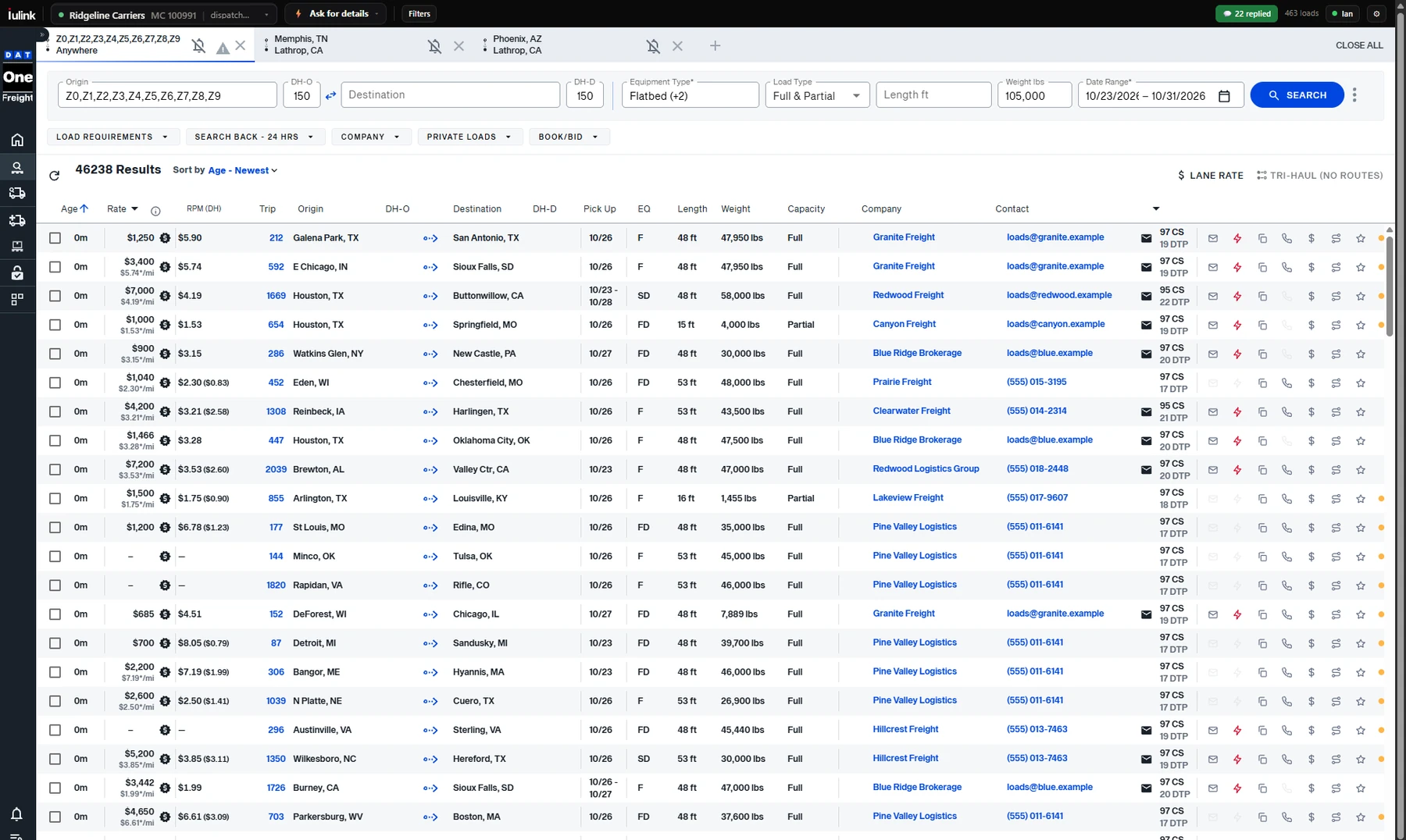
- 1Pick the sender. Carrier, Gmail and template for every email, right on the board.
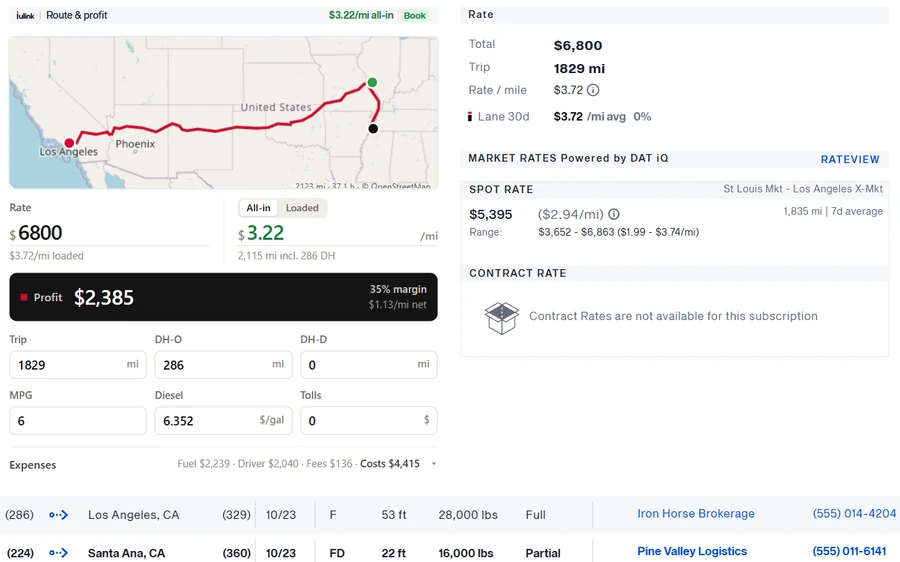
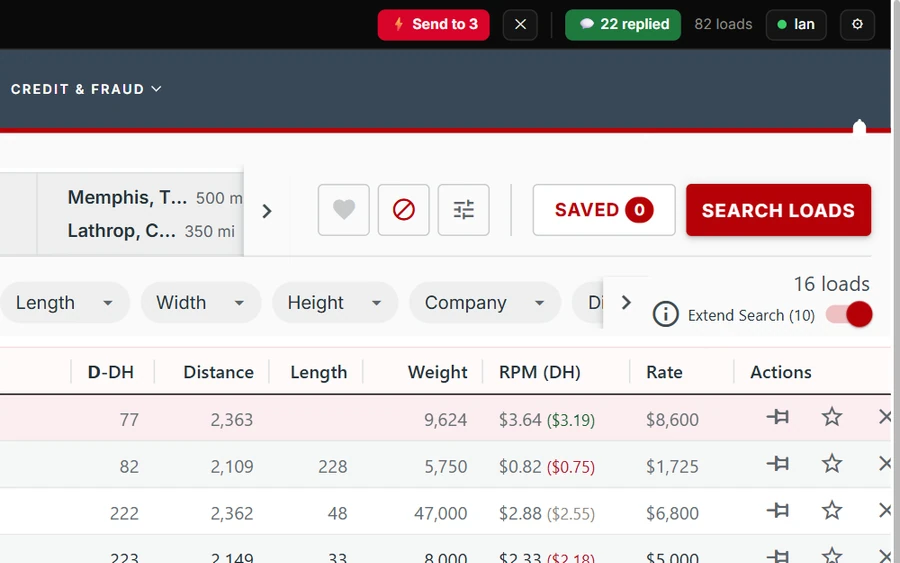
- 2Real $/mi. Rate per mile, and in brackets with your deadhead.
- 3One-click actions. Email, quick send, copy, call, profit, route, save.
Same board. A desk’s worth of tools on it.
The same search without IULink and with it. You keep your board exactly as it is; IULink adds its tools on top of the results you already see. Captured on live DAT One and Truckstop, with broker names and contacts changed.
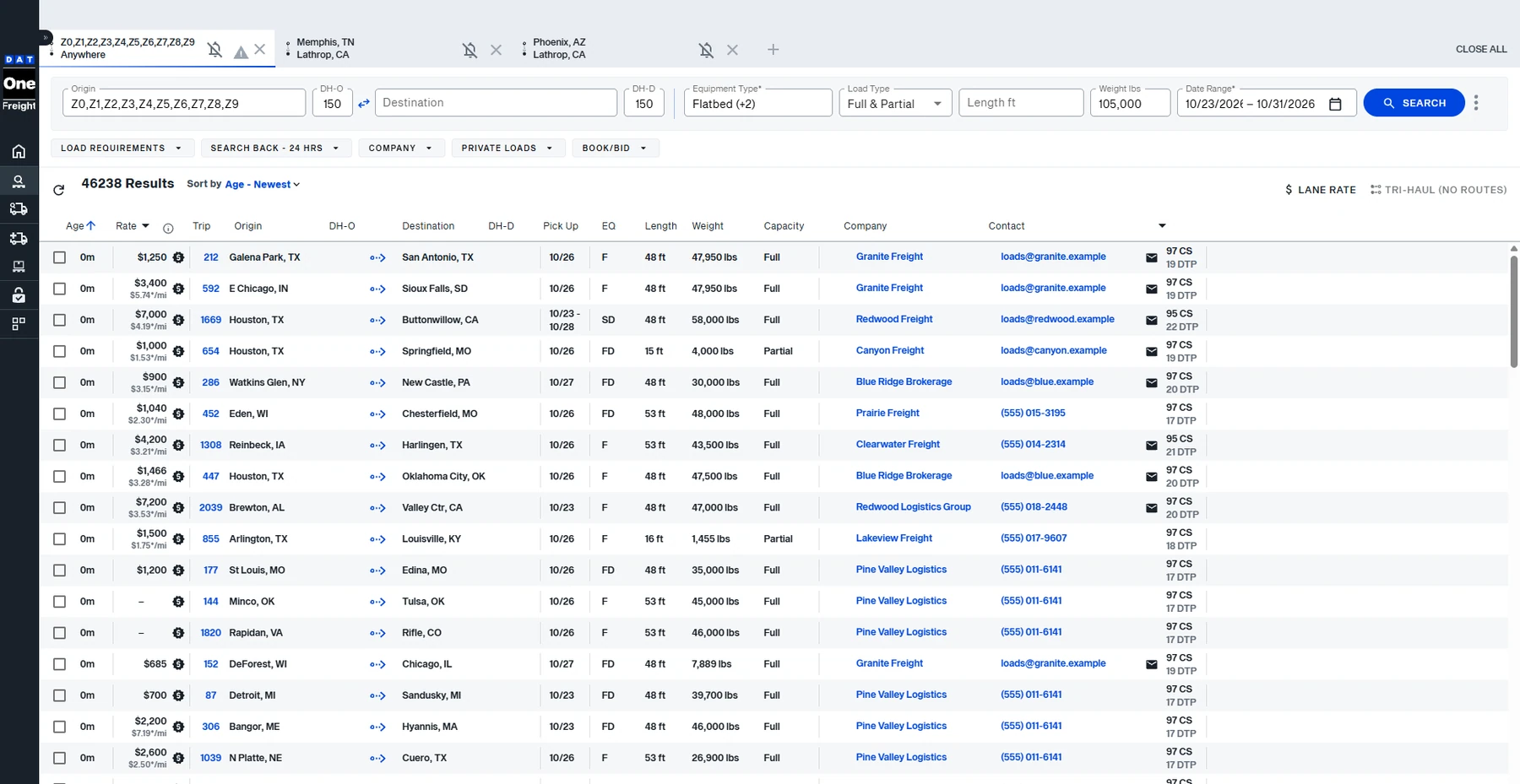
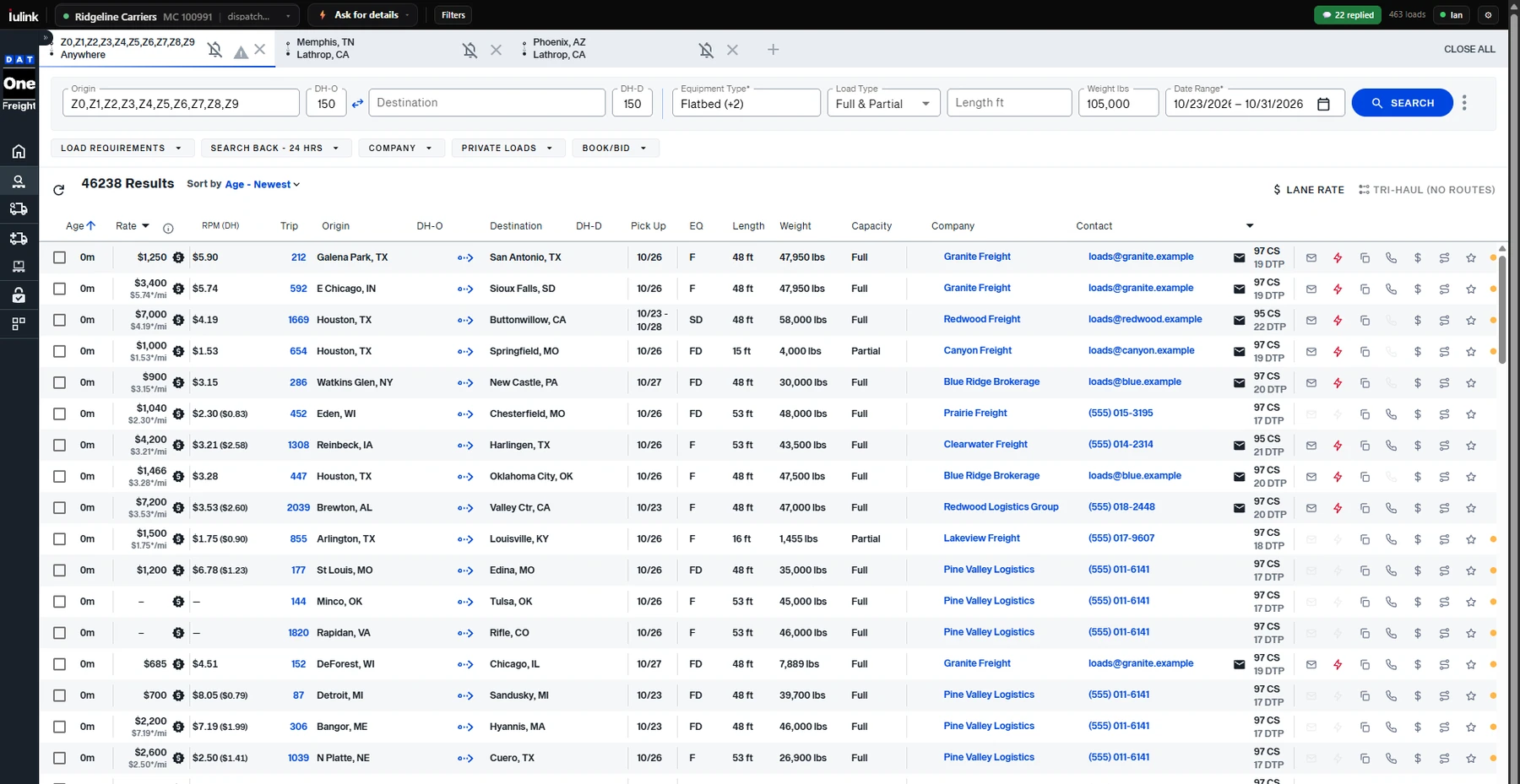
Stop retyping the lane into Gmail.
We dispatch freight every day. This is the tool we wanted on the board — so we built it.
Without it every load
- Copy the broker’s email off the posting
- Open Gmail and switch to the right carrier’s account
- Work out deadhead and rate per mile on a calculator
- Look the MC up on SAFER in another tab
- Send, and hope you remember to follow up
With IULink one click
- Click ✉ on the row. Your template is filled in with lane, dates, equipment and your deadhead.
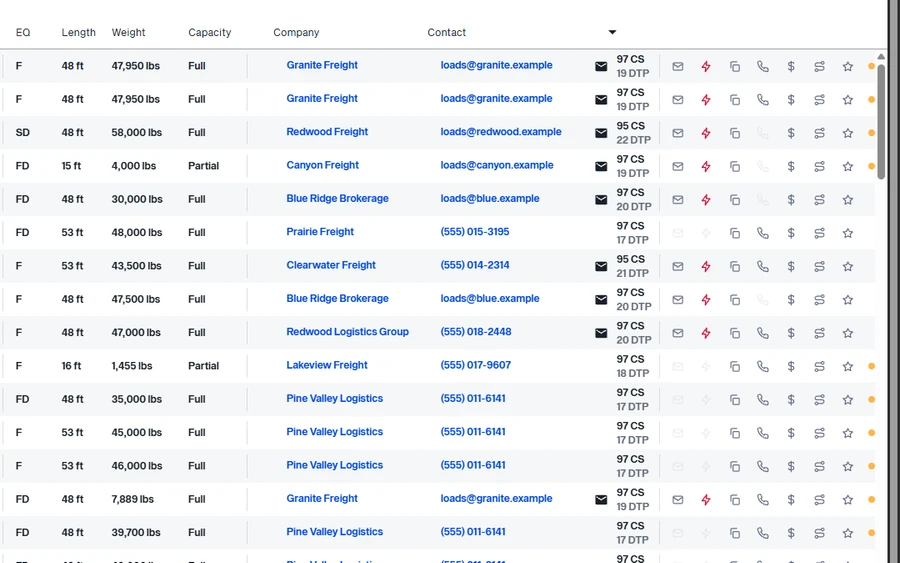
- Ctrl+click to email many. Select the loads you want, press ⚡ Send to 3, and each broker gets their own email with that load’s lane and rate.
- The right sender goes out. Each MC has its own Gmail, signature and templates.
- $/mi, and $/mi with your deadhead, on every row. Each search keeps its own truck location.
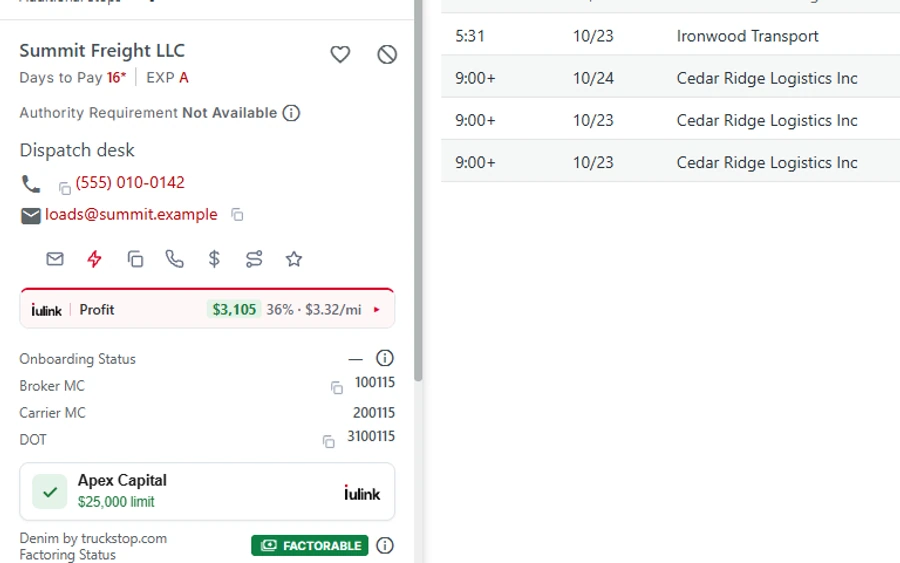
- Broker check from FMCSA data on the opened load: authority age, bond, revocations.
- Call with one tap through the sender’s own phone system: Dialpad, RingCentral, 8x8 or your phone app.
- 5-second undo, and a duplicate warning before you email the same load twice.
- No reply? One click follows up in the same email thread.
- Call memory. See who you already called, what they offered, or that it’s covered — before you dial again.
Better numbers. Faster emails. Fewer bad brokers.
Everything below is the real extension. Board screens are captured on live DAT One and Truckstop with broker names and contacts changed; the email window and dashboard use example data.
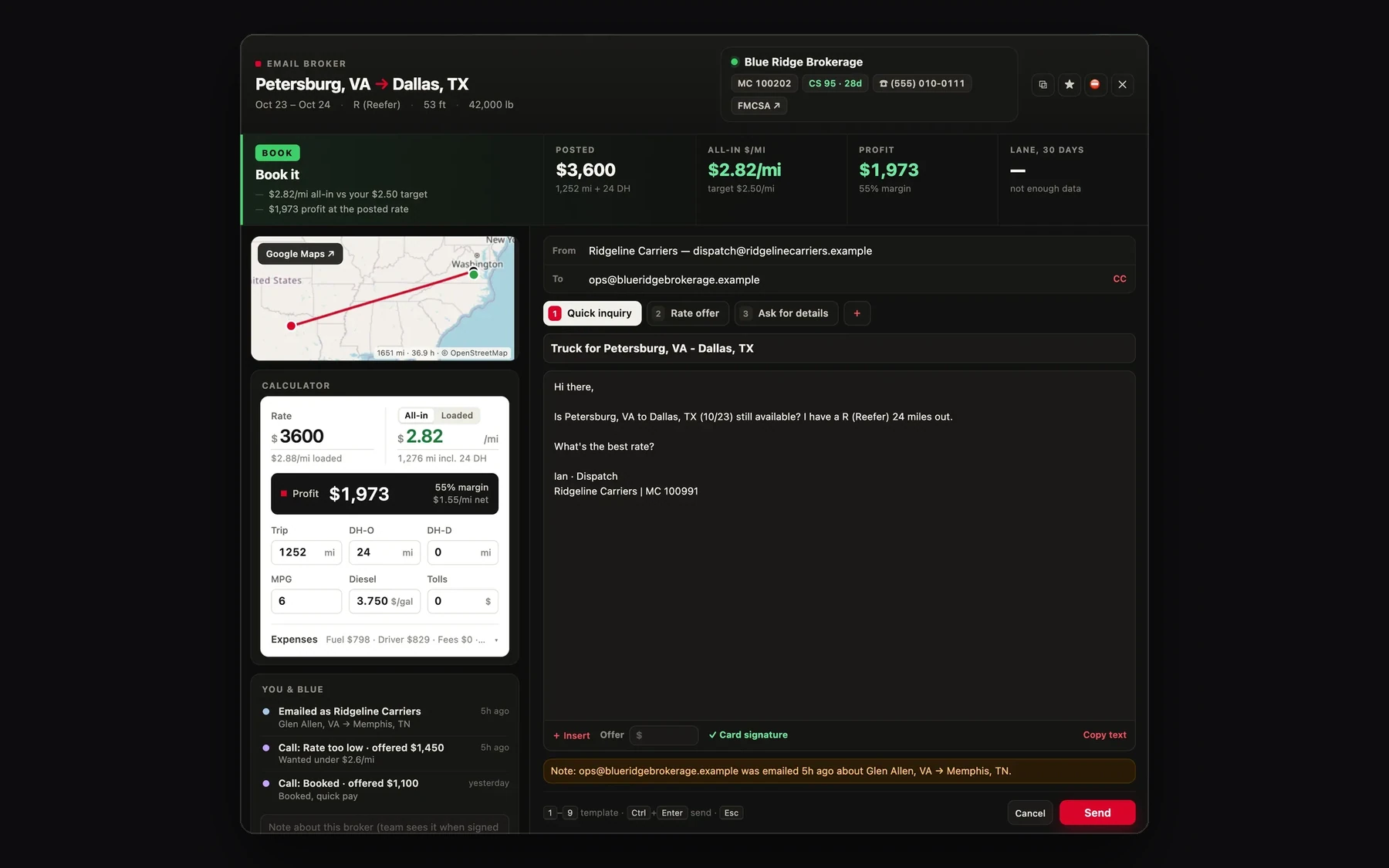
More screens.
Captured from the extension on live load boards (broker names and contacts changed) and its dashboard (example data). Tap any screen to see it full size.
 Swipe sideways · tap to enlarge
 Swipe sideways · tap to enlarge
 Swipe sideways · tap to enlarge
 Swipe sideways · tap to enlarge
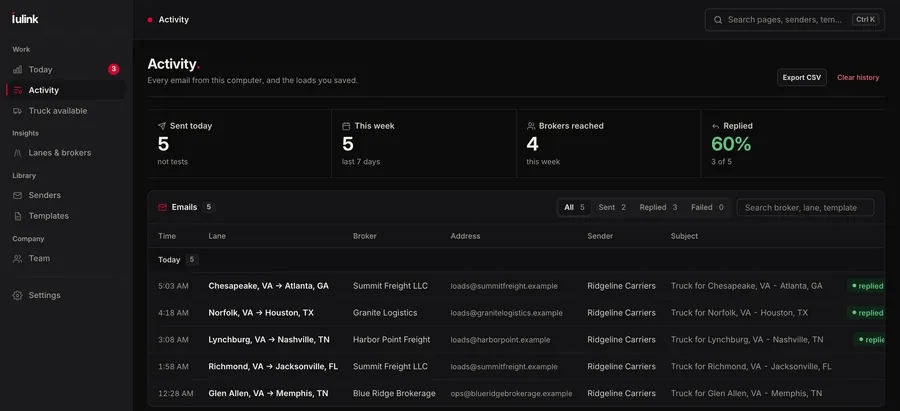 Swipe sideways · tap to enlarge
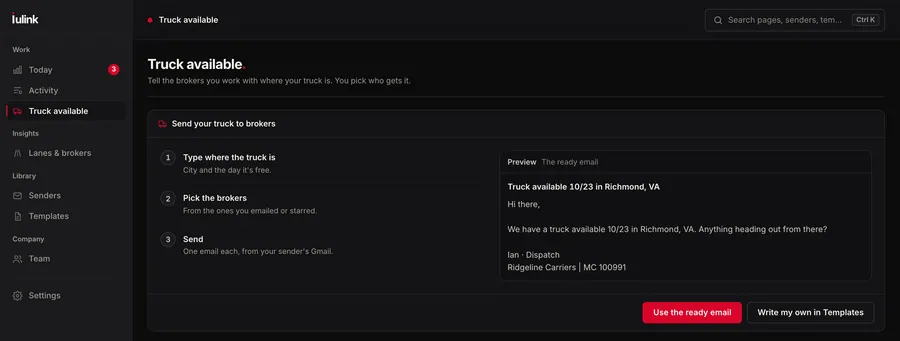 Swipe sideways · tap to enlarge
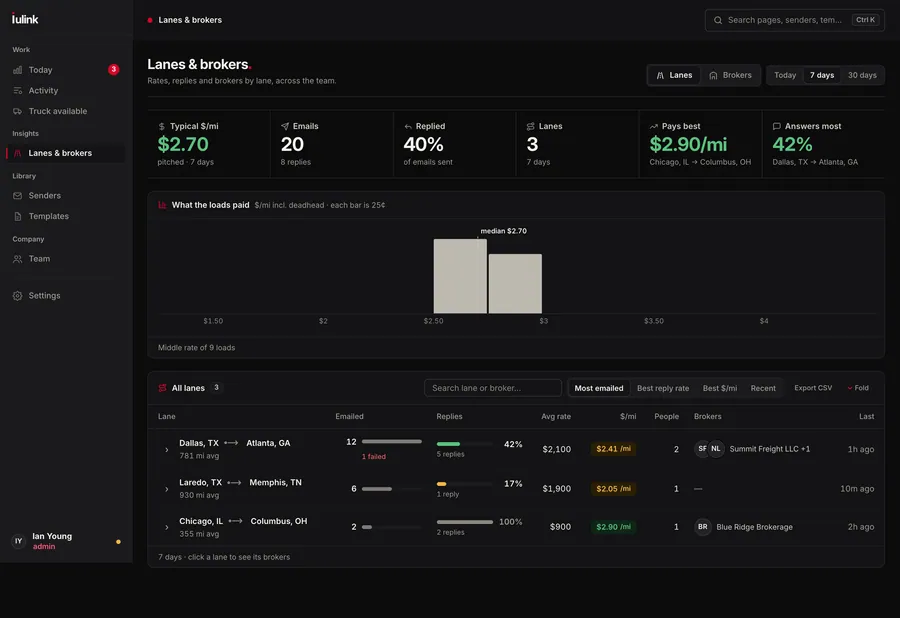 Swipe sideways · tap to enlarge
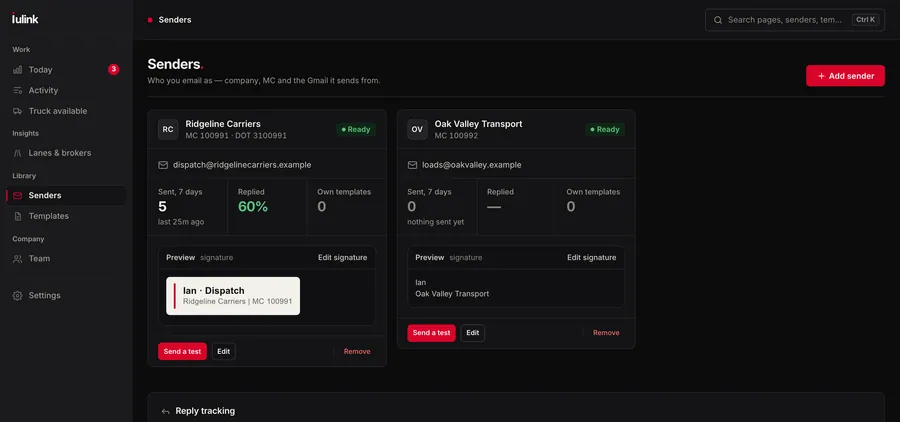 Swipe sideways · tap to enlarge
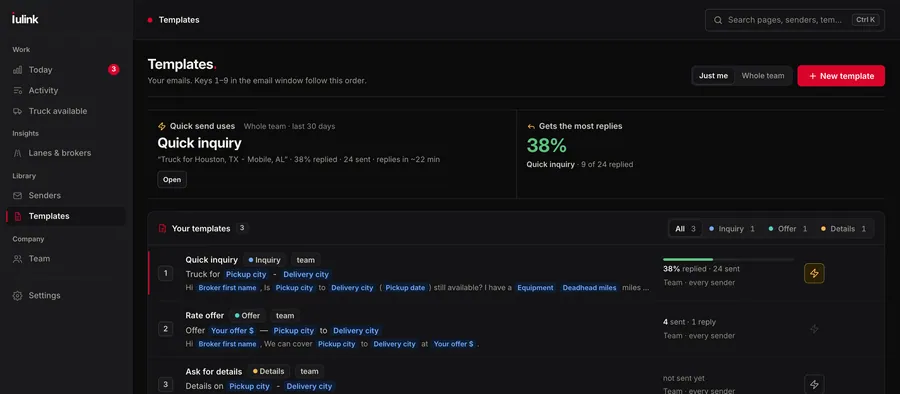 Swipe sideways · tap to enlarge
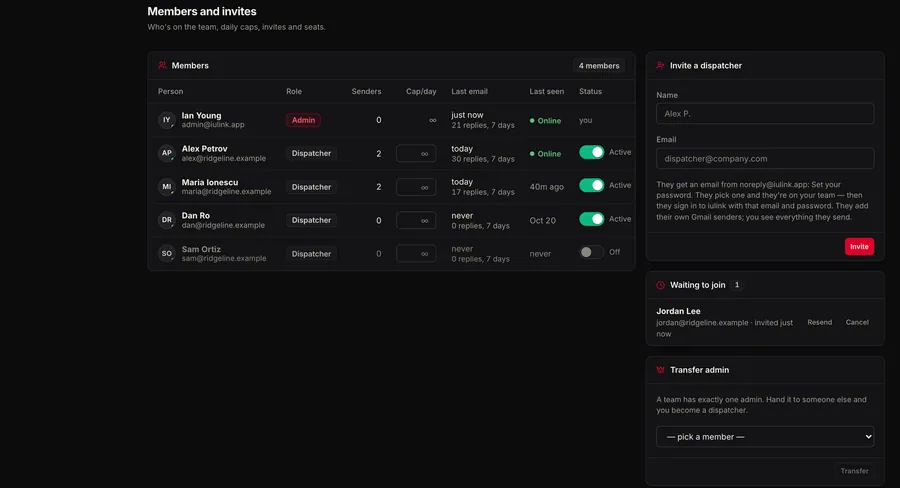 Swipe sideways · tap to enlarge
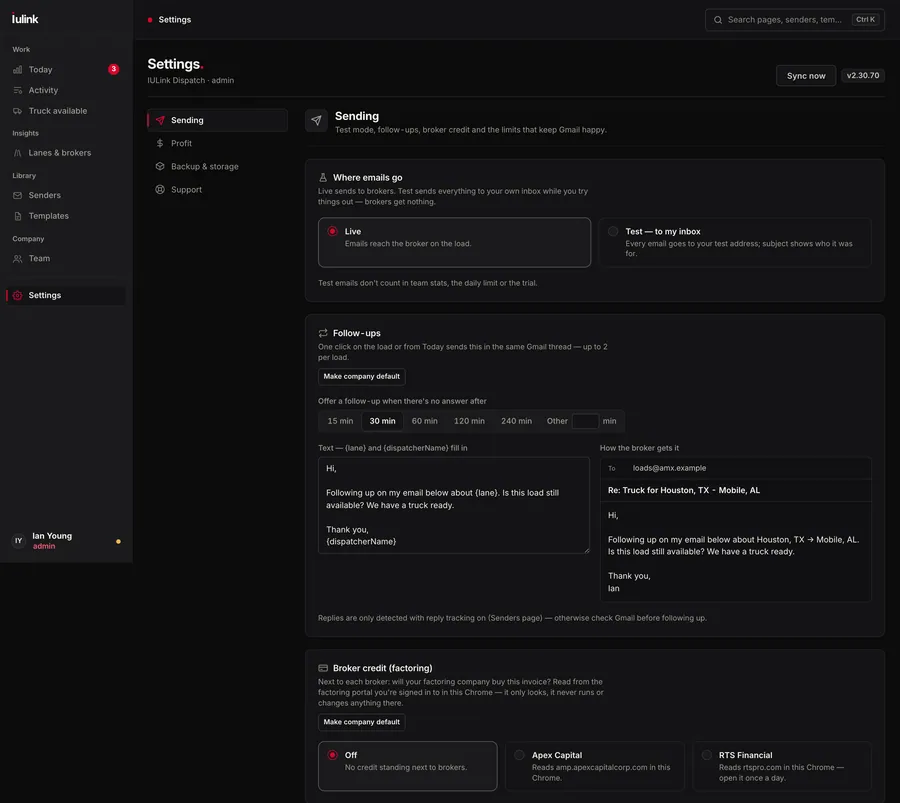 Swipe sideways · tap to enlarge
Your mailbox stays yours.
Built for dispatchers who send from carriers’ mailboxes all day. It does the sending and nothing else. Read the privacy policy.
gmail.send). Emails go out through the Gmail API from your own account. It can send; it can’t read your inbox.Three steps to a faster board.
- 01
Start your trial.
Create your company, pick your seats and add a card — nothing is charged for 7 days. Then add iulink to Chrome from the Chrome Web Store and sign in.
- 02
Connect your senders.
Connect each carrier’s Gmail with Google sign-in, set its signature and write your templates once.
- 03
Work the board.
Email, check, call and follow up from the row. Invite your dispatchers by email when you want the team dashboard.
One plan. Every feature.
No Basic, Standard or Pro — and nothing locked behind a higher tier. Every dispatcher gets everything for $9.99 a month, or $99.90 a year (2 months free). 7-day free trial, card required. Billed by Paddle. Cancel anytime.
Everything included, for every dispatcher
The same extension for a one-person desk and a team of twenty. No add-ons, no upgrade screens.
On the board
- Real $/mi with your deadhead on every row
- Profit calculator: diesel, MPG, driver pay, fees, fixed costs
- Book / negotiate / pass call on each load
- Route map with deadhead, trip miles and drive time
- Filters: miles, deadhead, rate, $/mi, states, US-only
- Hide blocked brokers and duplicate postings
- Lane history: average $/mi on the lane
- Holiday and weather alerts on the load
Email and calls
- Unlimited broker emails
- Unlimited senders — each carrier from its own Gmail
- Unlimited templates, CC and a signature with your logo
- Quick send with a 5-second undo
- Email several loads at once
- Follow-ups in the same Gmail thread
- Click to call: Dialpad, RingCentral, 8x8
- Copy load info in your own format
Brokers
- FMCSA lookup: authority age, status, bond
- Broker scorecard on every row
- Credit check with Apex or RTS
- Favorite and blocked brokers, shared with your team
- Warning on free-mail and suspicious broker emails
- Call log with notes, saved to the broker
Team
- Invite dispatchers by email
- Admin dashboard: emails, calls and $/mi per dispatcher
- Company defaults each dispatcher can adjust
- Daily goals and per-person caps
- Subject-line testing per template
- Lane and broker reports, CSV export
Billed by Paddle, our Merchant of Record; taxes added at checkout where they apply. Paddle charges your card when the 7-day trial ends unless you cancel first. Cancel during the trial and you pay nothing; access ends when the trial does. Cancel later and you keep access until the end of the period you paid for. Terms of Service · Refund Policy
Questions dispatchers ask.
Does it read my email?
No. It asks Google for send-only access (gmail.send): it can send email from your Gmail, but it can't read your inbox. Reply tracking is coming soon.
Which load boards does it work on?
DAT One and Truckstop, in Google Chrome. You keep your own board subscriptions; IULink adds its tools on top of the results you already see. It isn't affiliated with DAT or Truckstop.
I dispatch for several MCs. Can each one email from its own address?
Yes — that's what it was built for. Add a sender for each carrier with its own Gmail, signature and templates. Pick the carrier and the email goes out from that carrier's own mailbox.
Can I email several loads at once?
Yes. Ctrl+click the loads you want (⌘+click on a Mac) and press Send in the IULink bar. Each broker gets their own email with that load’s details, from the sender you picked, paced so Gmail doesn’t flag you. Loads you already emailed and blocked brokers are skipped, and you have 5 seconds to undo.
Do I need IULink TMS or IULink dispatch to use it?
No. The extension works on its own. Our dispatch desk uses it every day, but you don't need any other IULink product.
Are there Basic, Standard or Pro plans?
No. There is one plan and every dispatcher gets every feature: $9.99 a month, or $99.90 a year (2 months free), after a 7-day free trial. Nothing is held back for a higher tier.
How does the free trial work?
Sign up on our website: your company, your seats and a card. You get 7 days free with every feature on, and nothing is charged today. If you don't cancel, Paddle charges $9.99 per dispatcher a month, or $99.90 per dispatcher a year (2 months free), when the trial ends. Cancel anytime from the extension's Account page: during the trial you pay nothing and access ends when the trial does; after it you keep access until the end of the period you paid for.
Is it on the Chrome Web Store?
Yes. Start your trial on our website, then add IULink Load Board from the Chrome Web Store (listed as “iulink — Load Board Extension”) and sign in with the email and password you chose.
Can I use it alone, without a team?
Yes. Start with one seat; you're the admin. Invite dispatchers by email and add seats when you want the team dashboard.
Get on the board before the next load posts.
Create your company, pick your seats and add a card — $0 today, 7 days free. Then install iulink from the Chrome Web Store and sign in.
Card required · cancel anytime before day 7 · questions: hello@iulink.app · Privacy · TermsWant us to dispatch for you instead?